
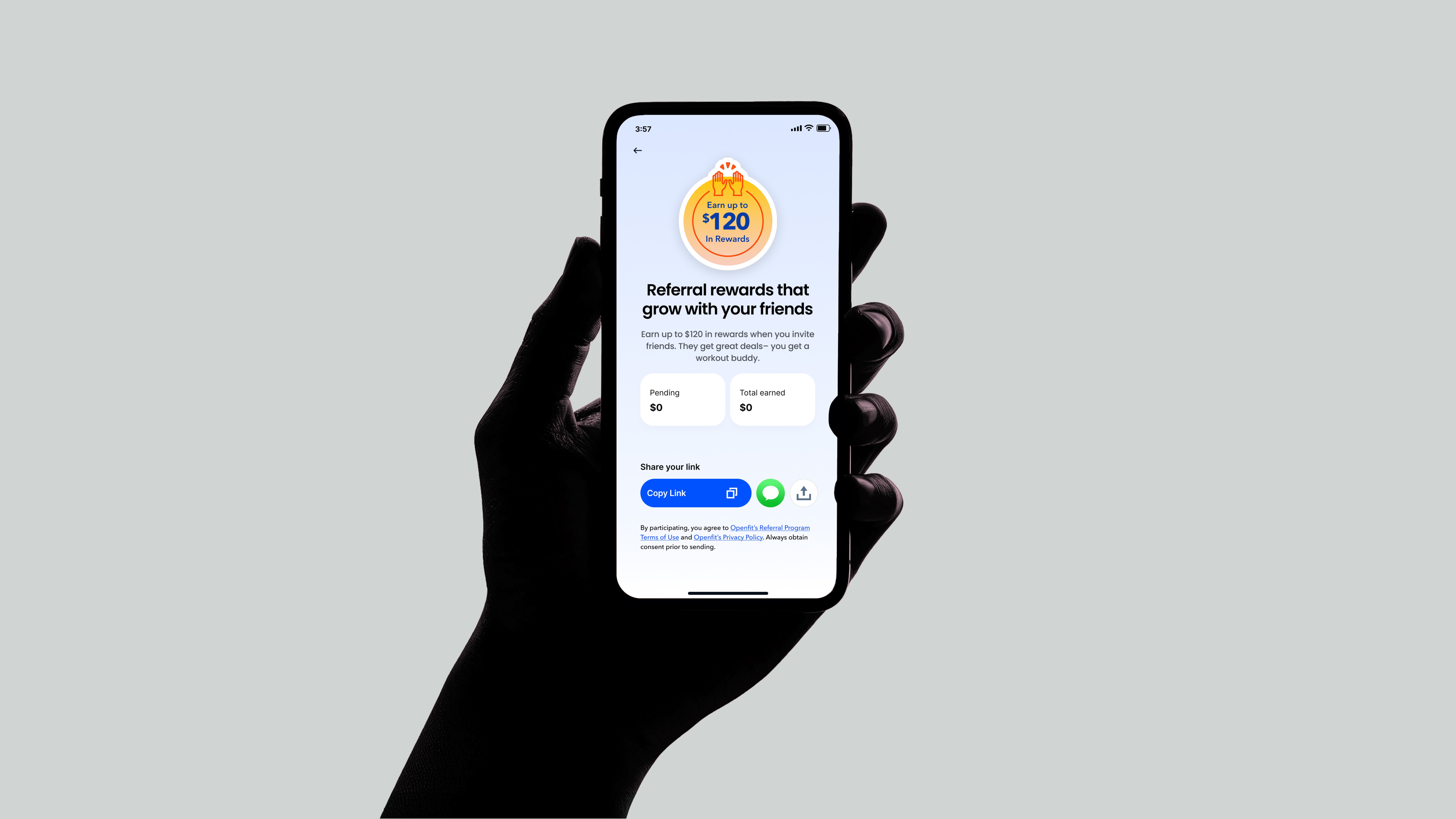
Drove a +4.6% lift in Openfit referred signups by reducing friction and making sharing feel more natural.
Role:
Lead Product Designer, Growth
Launched:
2022
Background
Improving referral invites to drive subscription growth
Openfit is the all-in-one destination for fitness, nutrition, and wellness. Referrals are one of Openfit’s most efficient acquisition channels. However, invite rates were low, and referred users were converting below benchmark.
I redesigned the Openfit mobile app referral experience to increase invite volume, activation, and paid subscription conversion.
My Role:
Lead Product Designer, Growth
Team:
Product Manager, Tech Lead, Data, QA
Responsibilities:
Research, Competitive Analysis, User Survey, Design, Prototype, Test
Problem
Despite offering strong referral incentives, Openfit’s referral flow had low engagement and weak downstream conversion.
Users found the experience unclear, impersonal, and difficult to track, while referred friends lacked trust, clarity, and preview of workouts before signing up. As a result, referral-driven acquisition underperformed compared to paid channels — leaving a high-leverage growth opportunity untapped.
Goal
Increase referral-driven acquisition and downstream revenue without increasing support burden.
Key Metrics:
Referred Signup Rate (Primary Metric)
Invite Send Rate (Leading Indicator)
Share Success Rate (Leading Indicator)
Referred Activation Rate (Downstream Metrics)
Referred Paid Conversion (Downstream Metrics)
SMS opt-outs or spam complaints (Guardrails)
Hypothesis
If we reduce friction in sharing, personalize referral messaging, and make progress + rewards more visible, more users will invite friends — and more referred users will activate and subscribe.
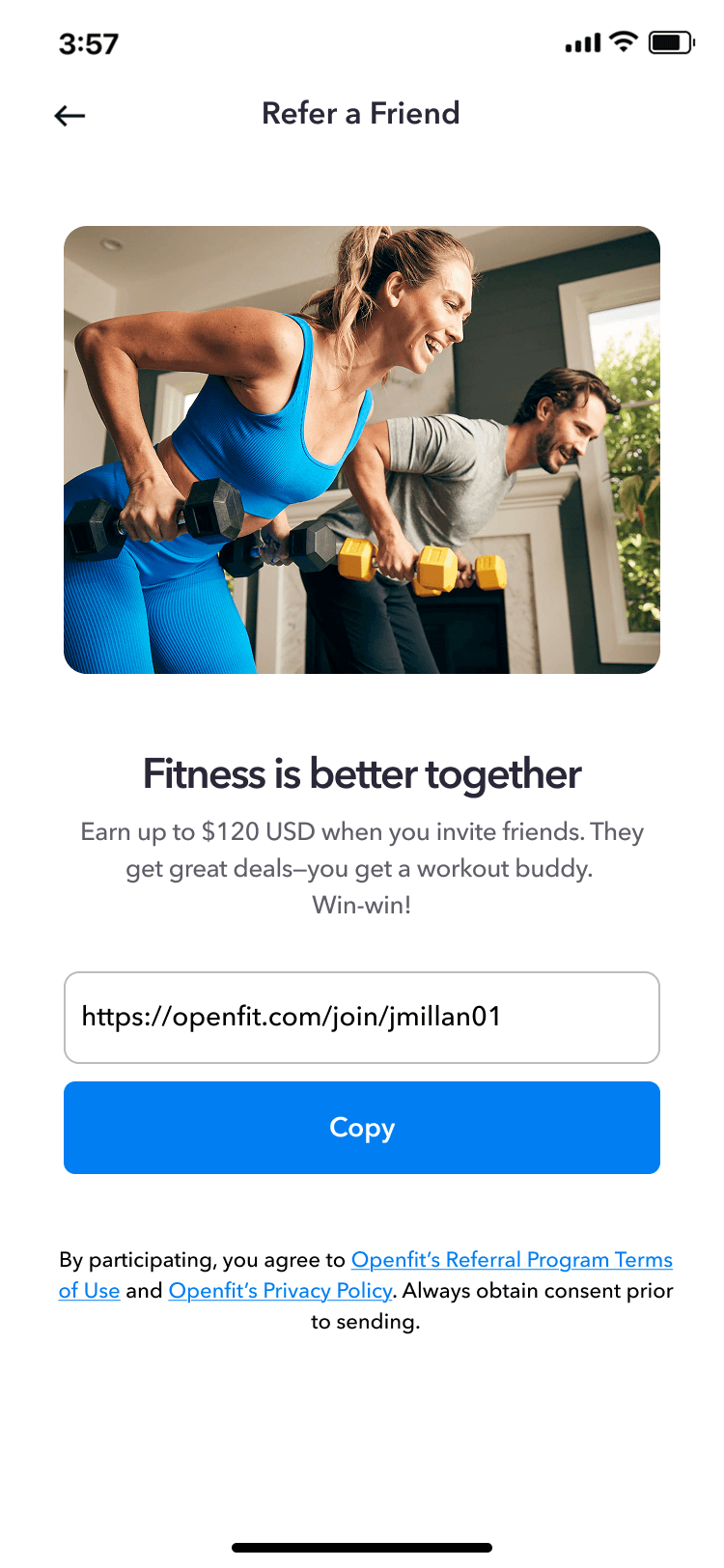
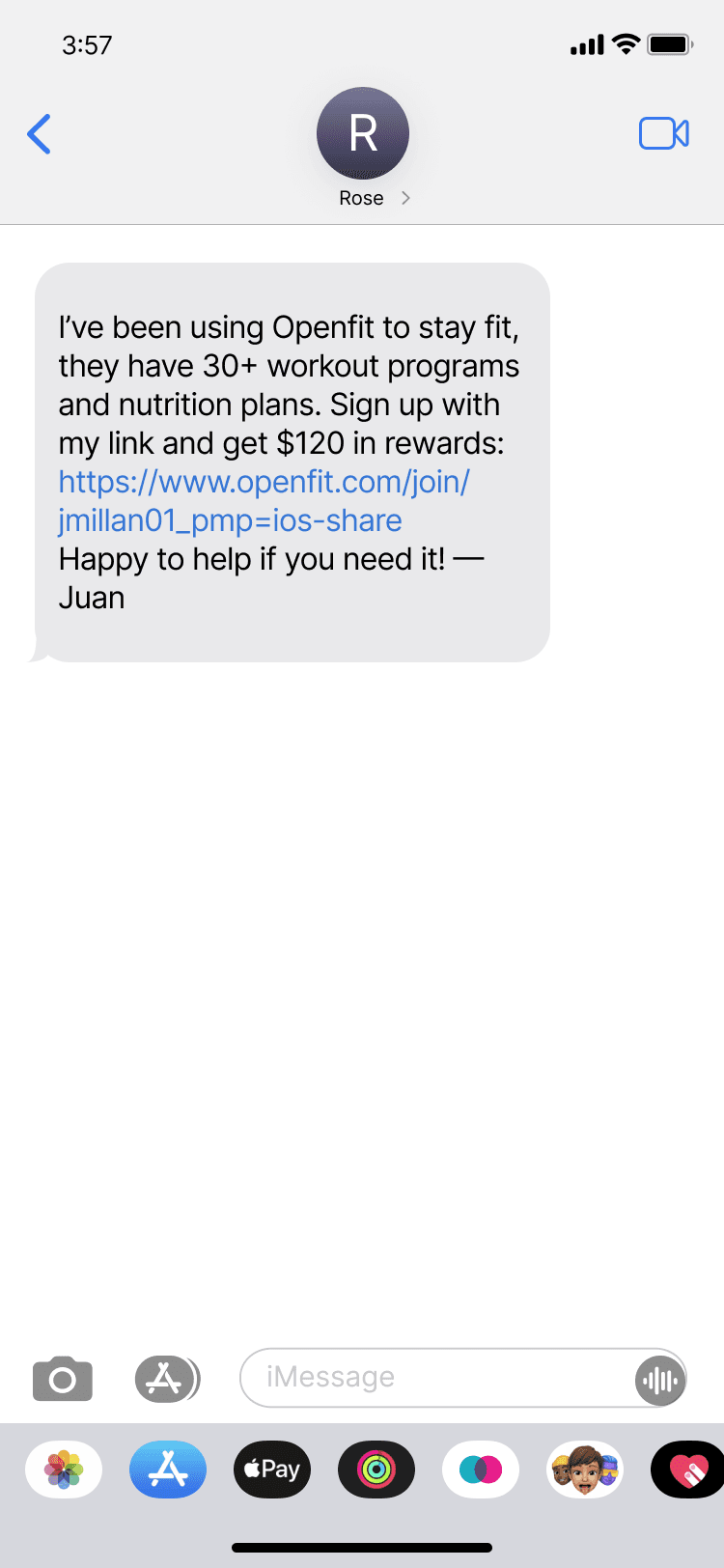
Control
Low Cost Optimizations
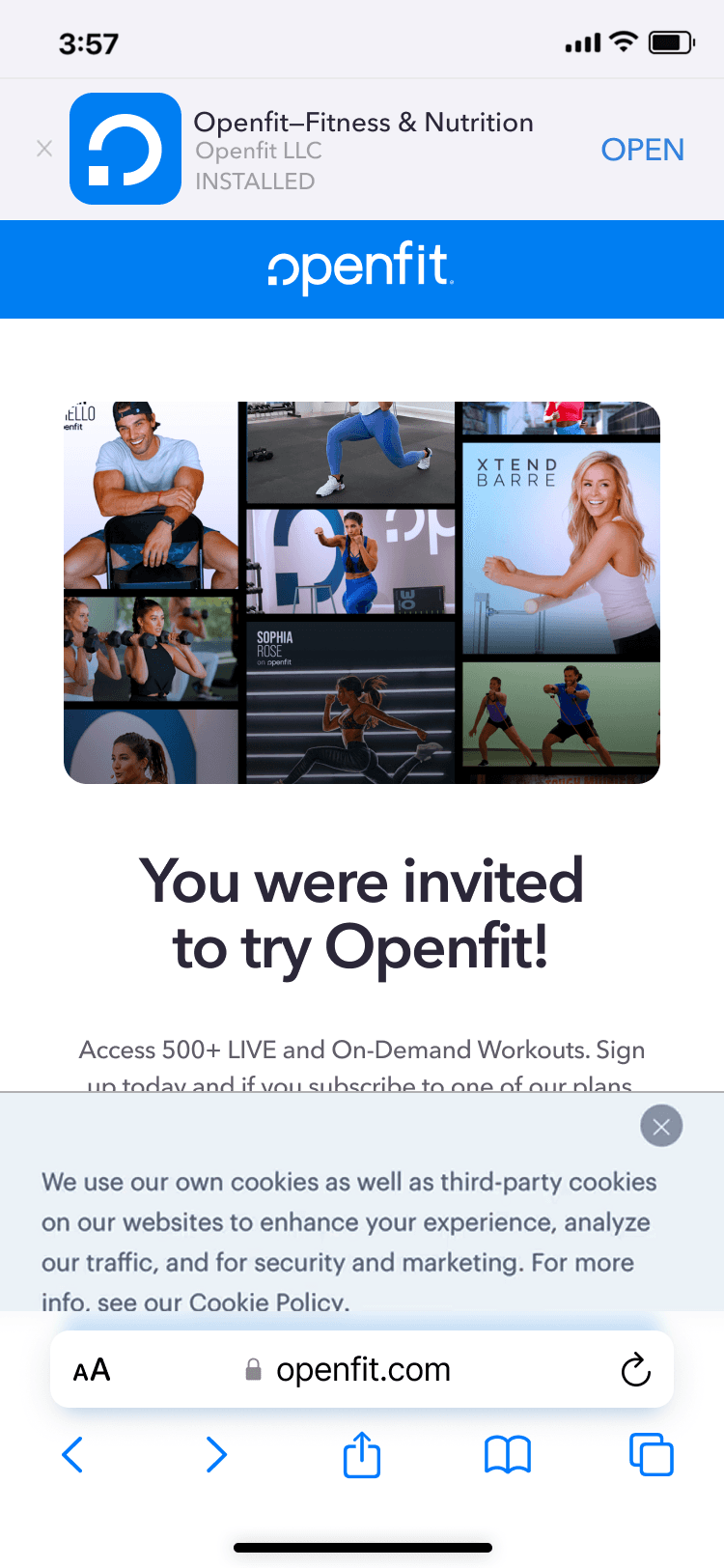
Removing distractions to increase referral signups
As the first step in redesigning the referral experience, we focused on low-effort, high-impact optimizations to reduce customer support tickets and increase referral signup conversion.
Beyond visual polish on the signup page, my top priorities were:
Removing the app upsell banner to keep users focused on the primary job-to-be-done instead of diverting attention
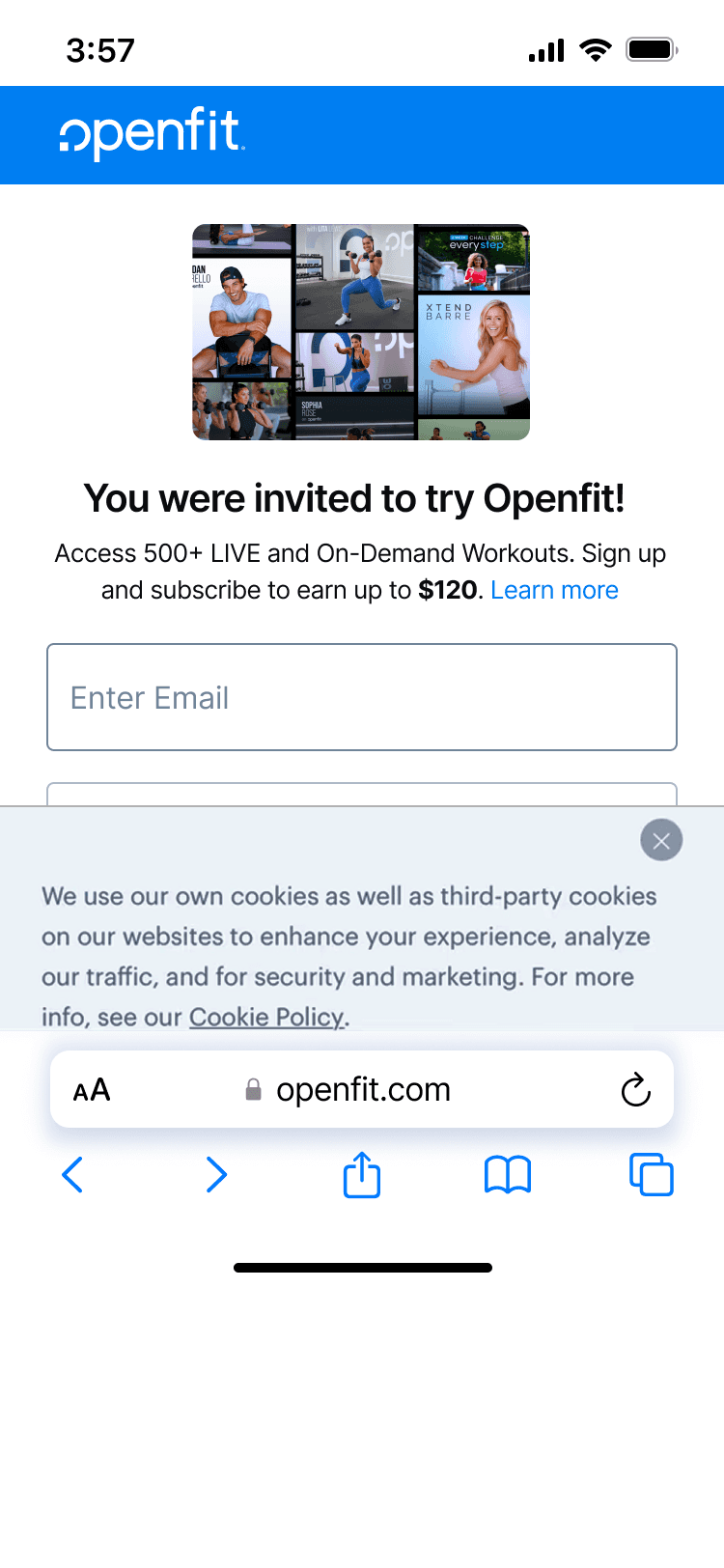
Ensuring the signup form appeared above the fold, especially on smaller devices, to minimize friction and speed up completion
Signup page refresh
Before
After – Small devices
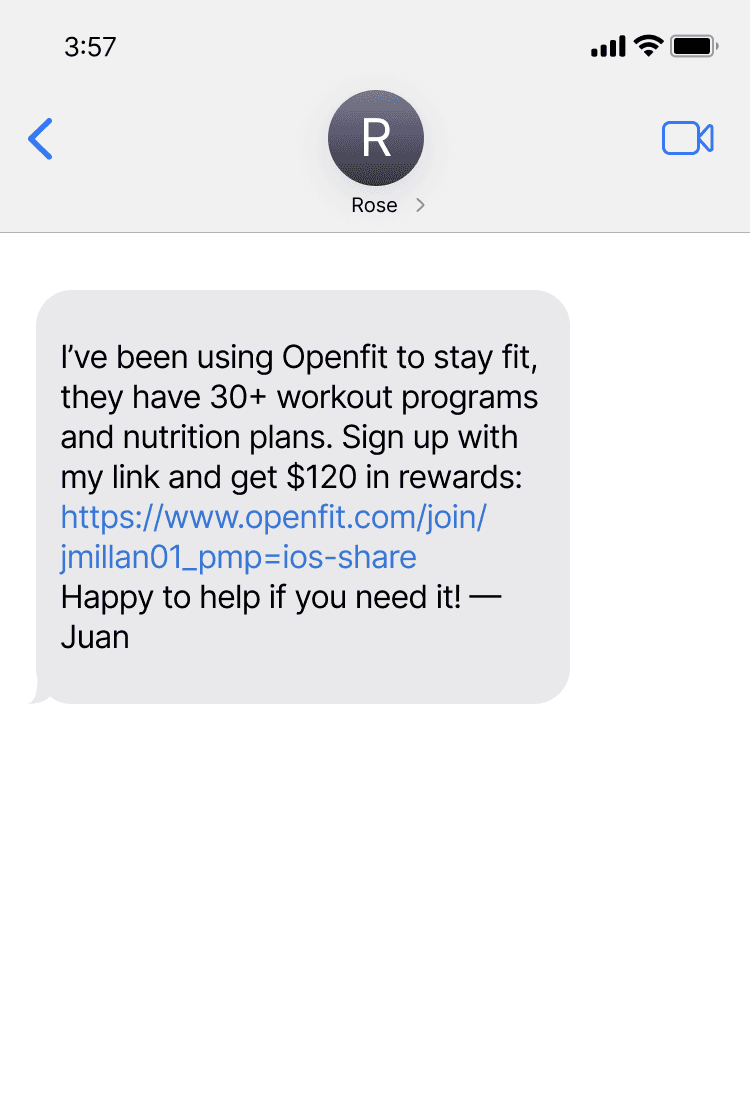
From text-heavy to tap-worthy SMS invites
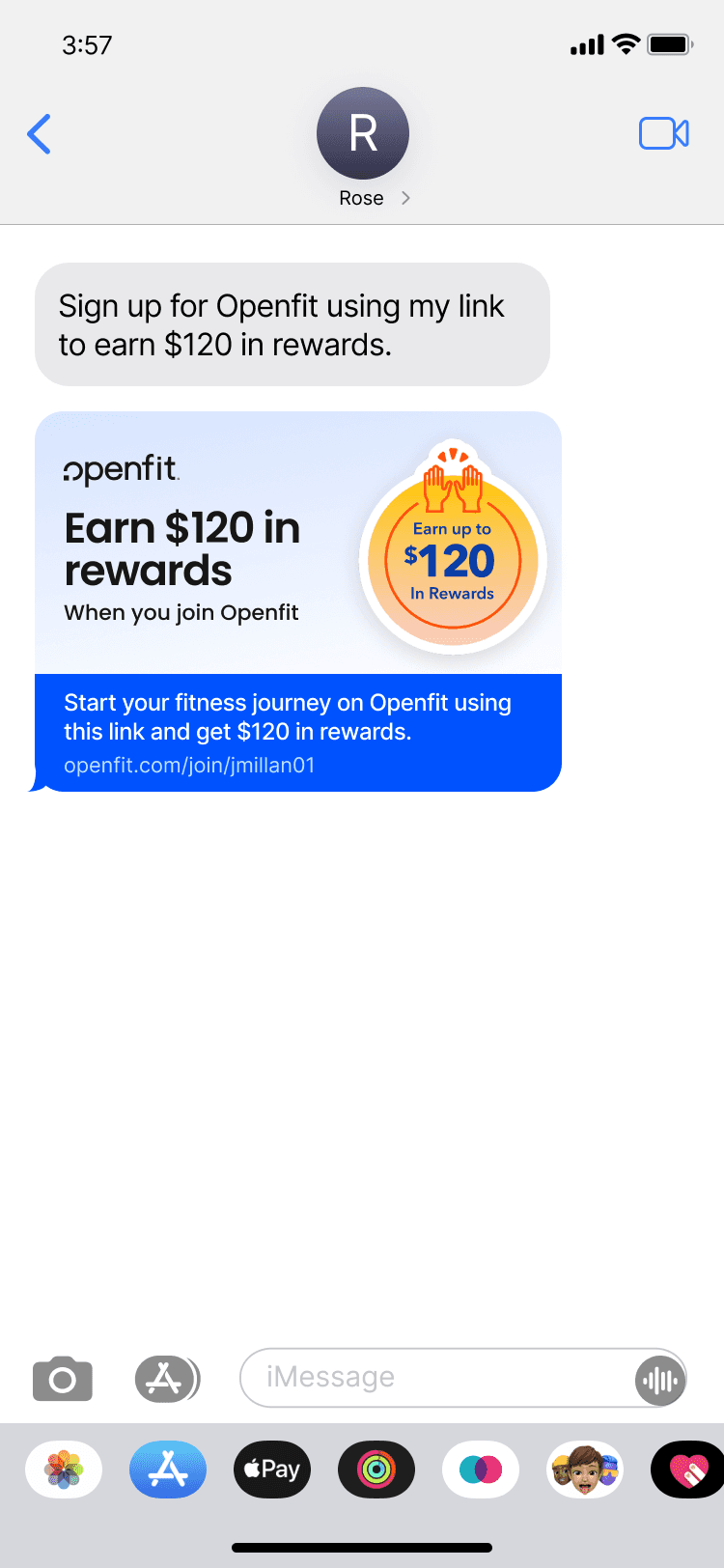
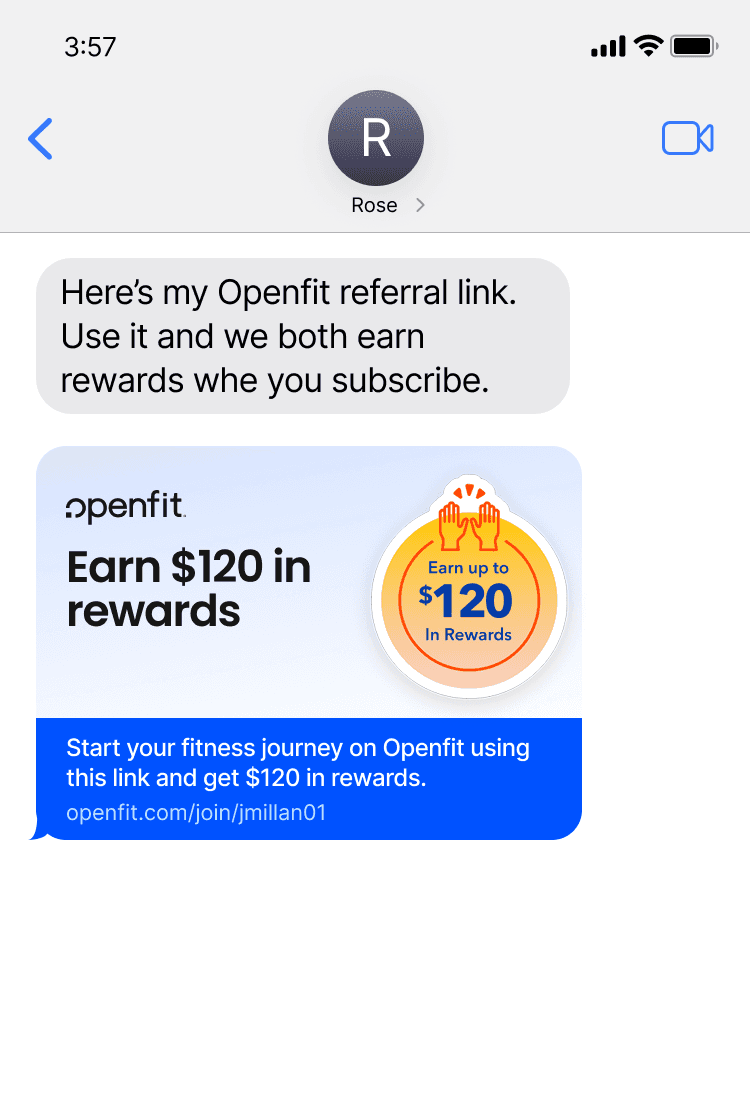
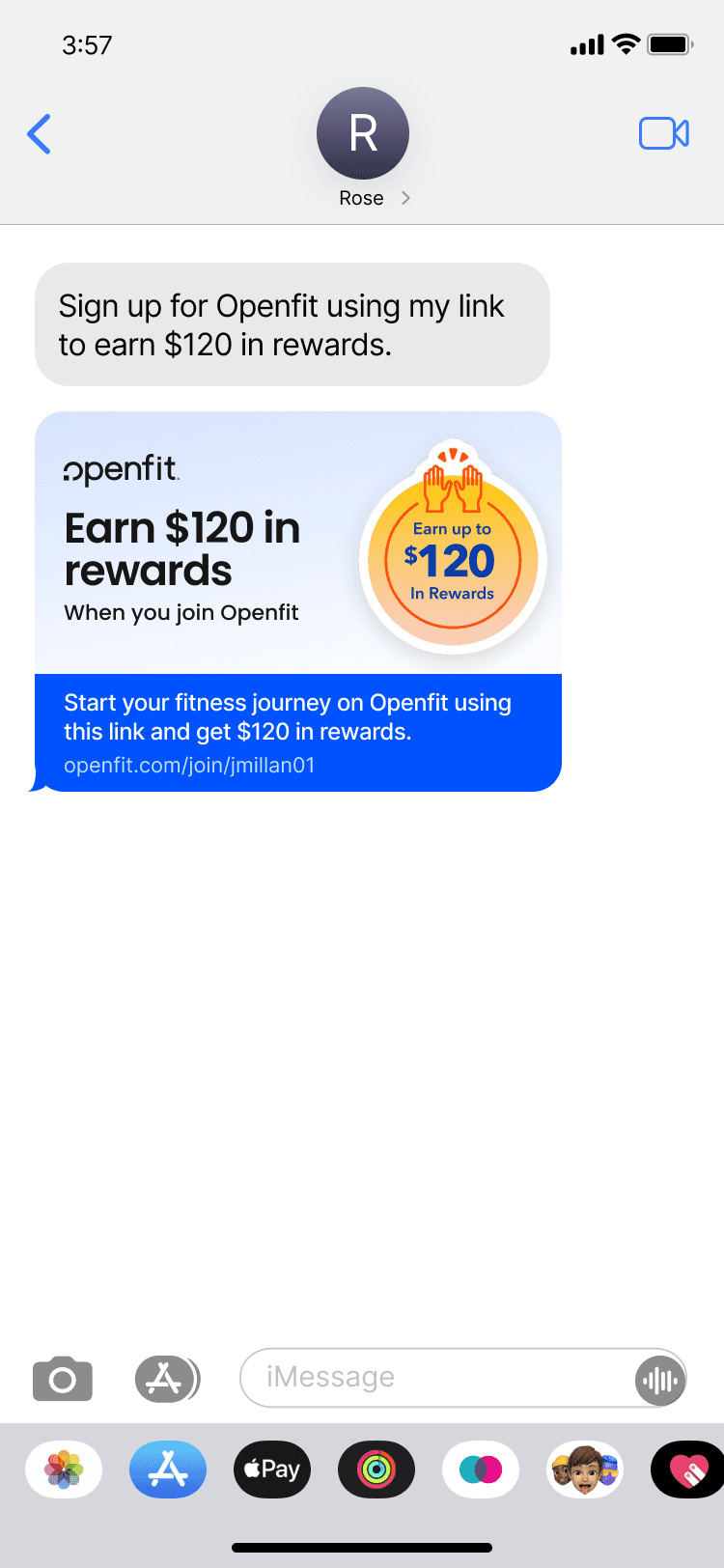
The original SMS invite was too long and hard to scan. I used GraphQL to add a visual graphic and partnered with Content to shorten the copy, making the message clearer and more engaging.
The result was a more scannable, delightful invite with stronger clarity and actionability for recipients. While several visual directions were tested, we selected the "hands raised" illustration to express joy, surprise, and celebratory for its universal clarity and cross-locale relevance.
Leveraged GraphQL to add a graphic to the SMS invite
Before
After
MVP Framework
Reducing referral friction to lift conversion
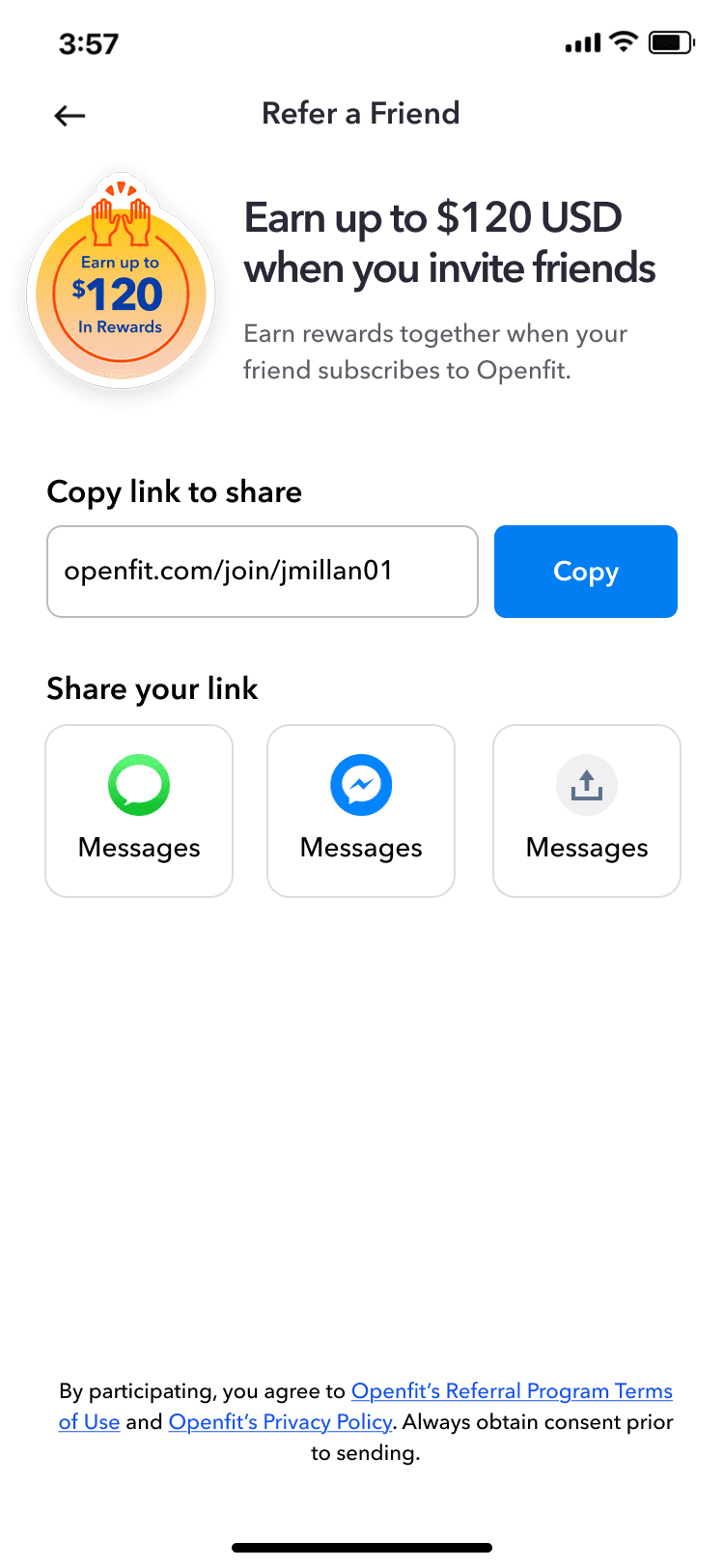
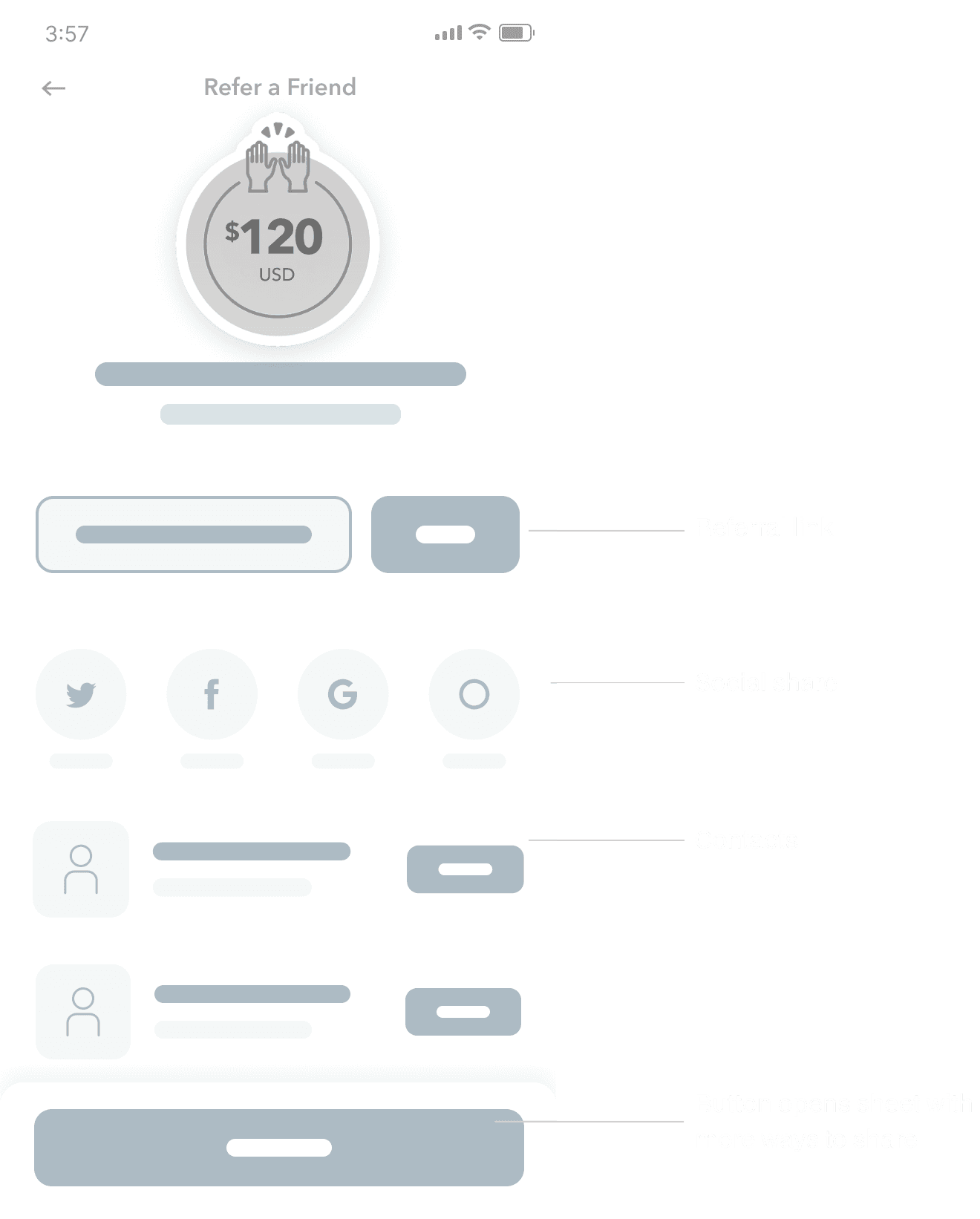
I designed an MVP focused on speeding up invites with one-tap social sharing on platforms like Twitter and WhatsApp. Users could view their three most recent invites, with an option to see more.
For secondary actions—like inviting contacts—I added a sticky bottom CTA that opens a bottom sheet, keeping advanced features accessible without cluttering the main flow.
Initial wires highlighting friction reduction
User Research
Understanding how users invite friends
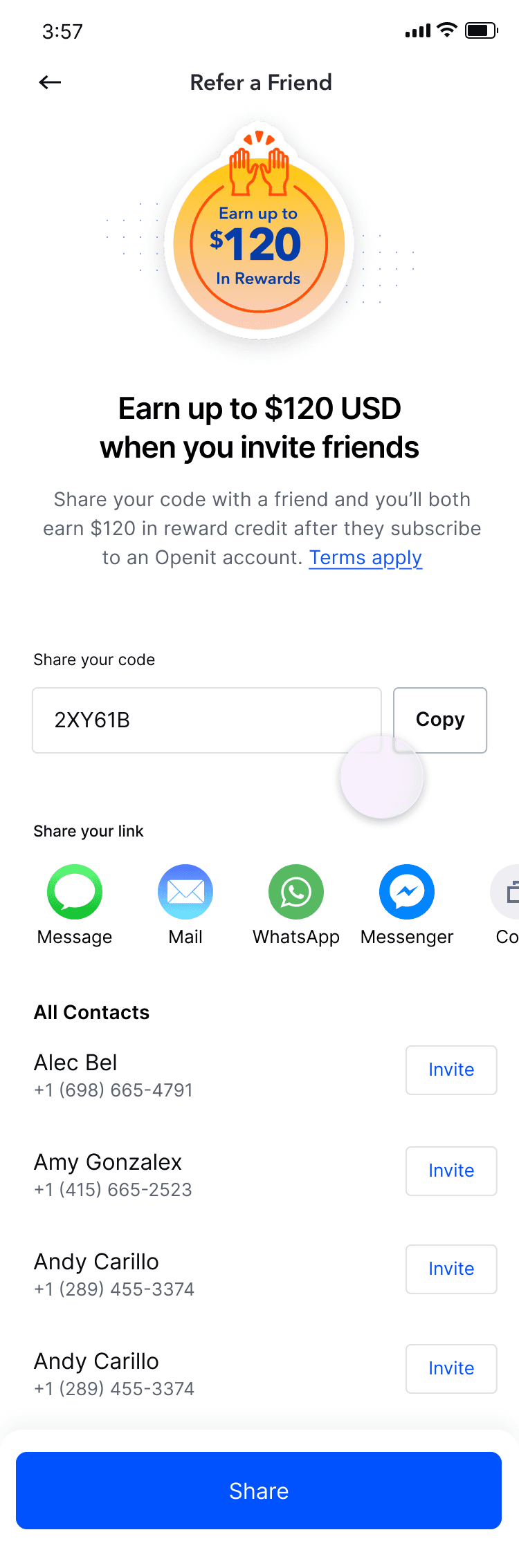
We conducted 10 unmoderated usability sessions using usertesting.com. In this task-based prototype study, participants were asked to invite a friend to join Openfit, allowing us to observe their natural behavior, friction points, and decision-making throughout the referral flow.
Prototype shared with user testing group
Observe what users select to share
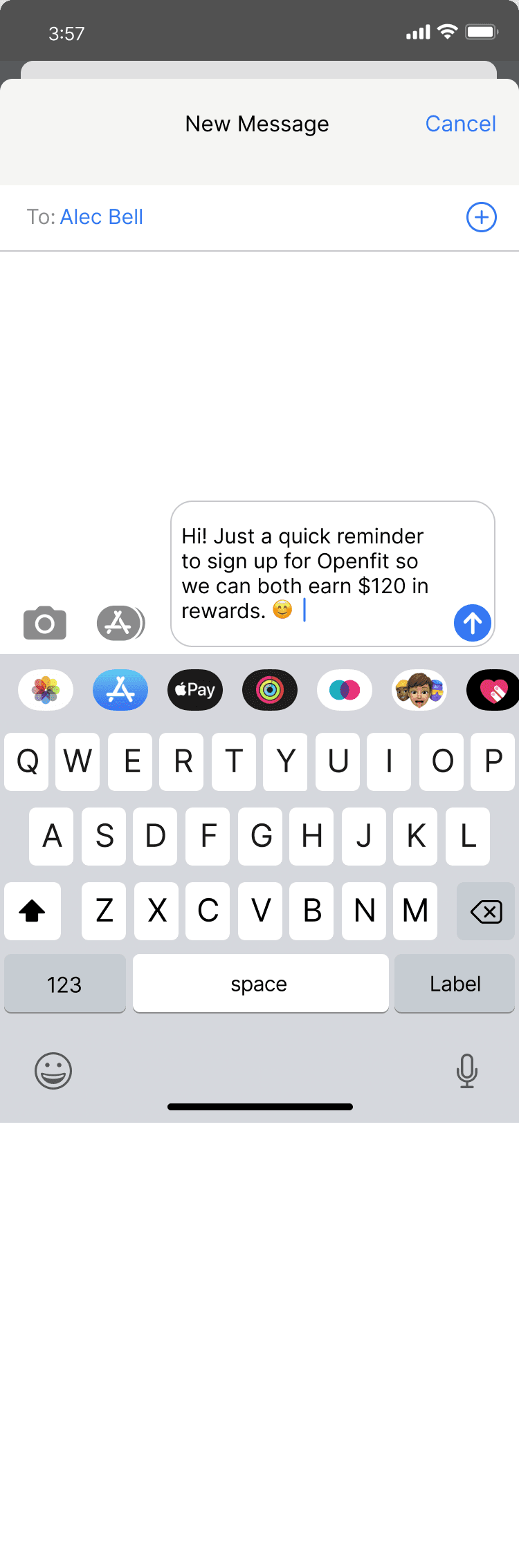
Ask users to return to send reminder
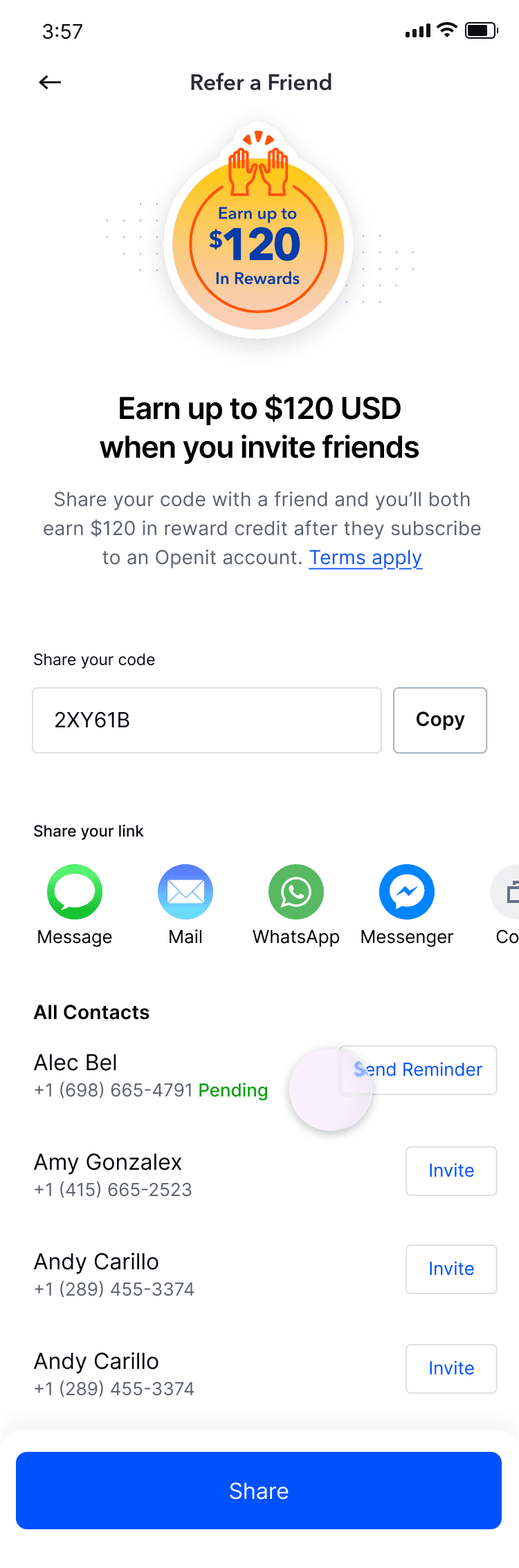
Reminder message
Insight:1
Users prefer native sharing channels
Users were more likely to send invites when sharing aligned with their existing communication habits.
Insight:2
Referral messages feel spammy
Participants prefer: editable copy for a more personal tone to explain why Openfit is helpful.
Insight:3
Users want referral progress visibility
Did my friend sign up yet? “Did I earn my reward?” Lack of feedback reduced motivation.
Key Bets
Refining the MVP based on research insights
Based on user research, I evolved the MVP into a set of focused growth bets to reduce friction and increase successful shares.
Bet 1: Make sharing easier and feel native I introduced quick-share channels, improved visual hierarchy, and reduced the number of steps required to share.
Bet 2: Make the message feel human I shortened and clarified the referral copy and added visual structure so the message felt trustworthy—not like spam.
Bet 3 (Post MVP): Make rewards clear and motivating I improved progress visibility and clarified reward states by clearly distinguishing “Pending” from “Received.”
Iteration on framework
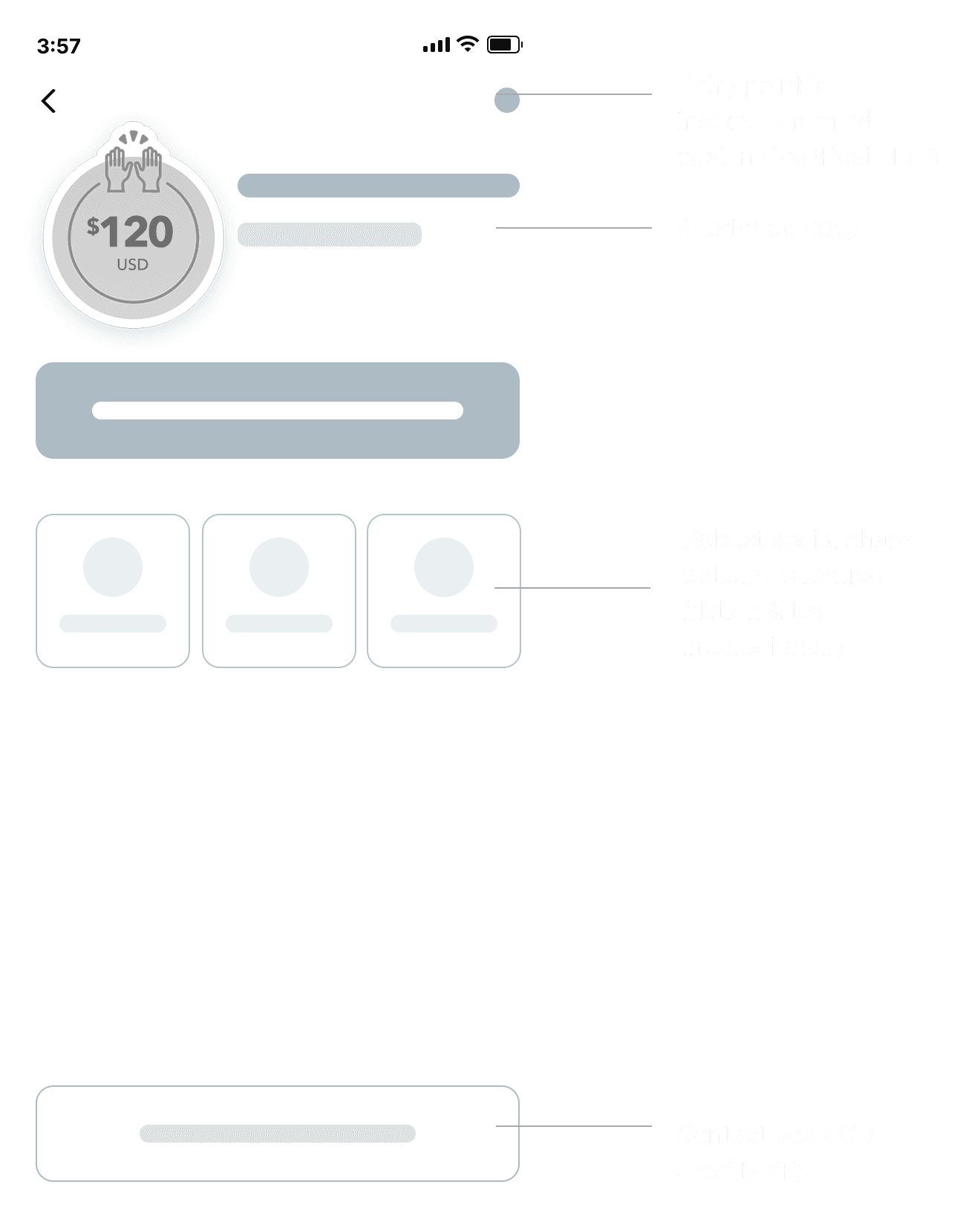
Designing a durable placement for referrals
With the launch of the new Profile menu, we identified an opportunity to create a clear, durable home for Referrals. Unlike core fitness and nutrition features that see frequent use, referrals are accessed more occasionally — making Profile a more intuitive and discoverable entry point without competing with high-traffic surfaces.
Adding referral to Profile menu
Trade-offs
Prioritizing speed to learn faster
To keep the experiment on track, we defaulted to referral links when backend work for referral codes wasn’t ready. This enabled us to move forward quickly and test key assumptions without blocking on engineering.
Experiment Setup
V1: Control vs Redesign
Split: 50/50
Audience: paid subscribers
Duration: 2 weeks
Decision rule: Ship if the primary KPI shows a statistically meaningful lift while guardrail metrics remain stable
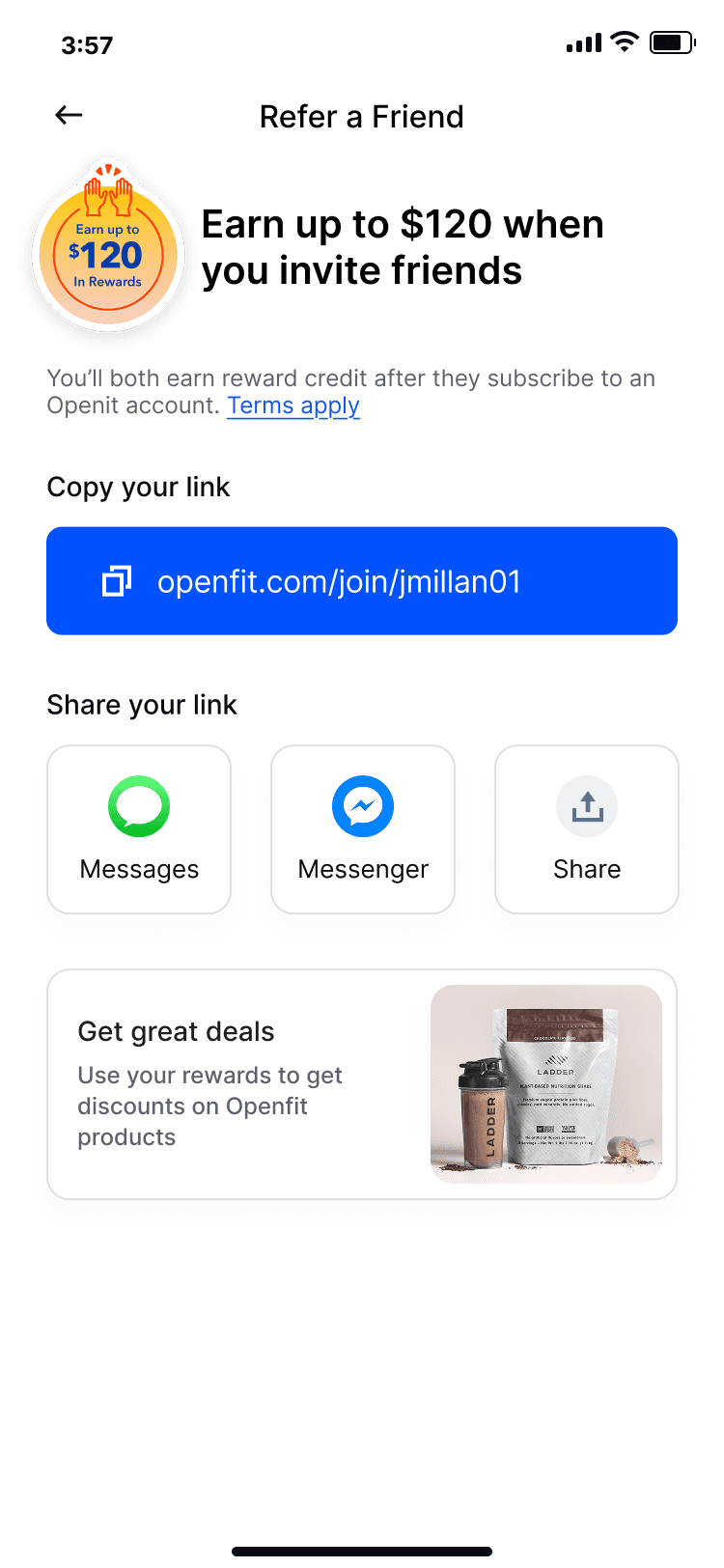
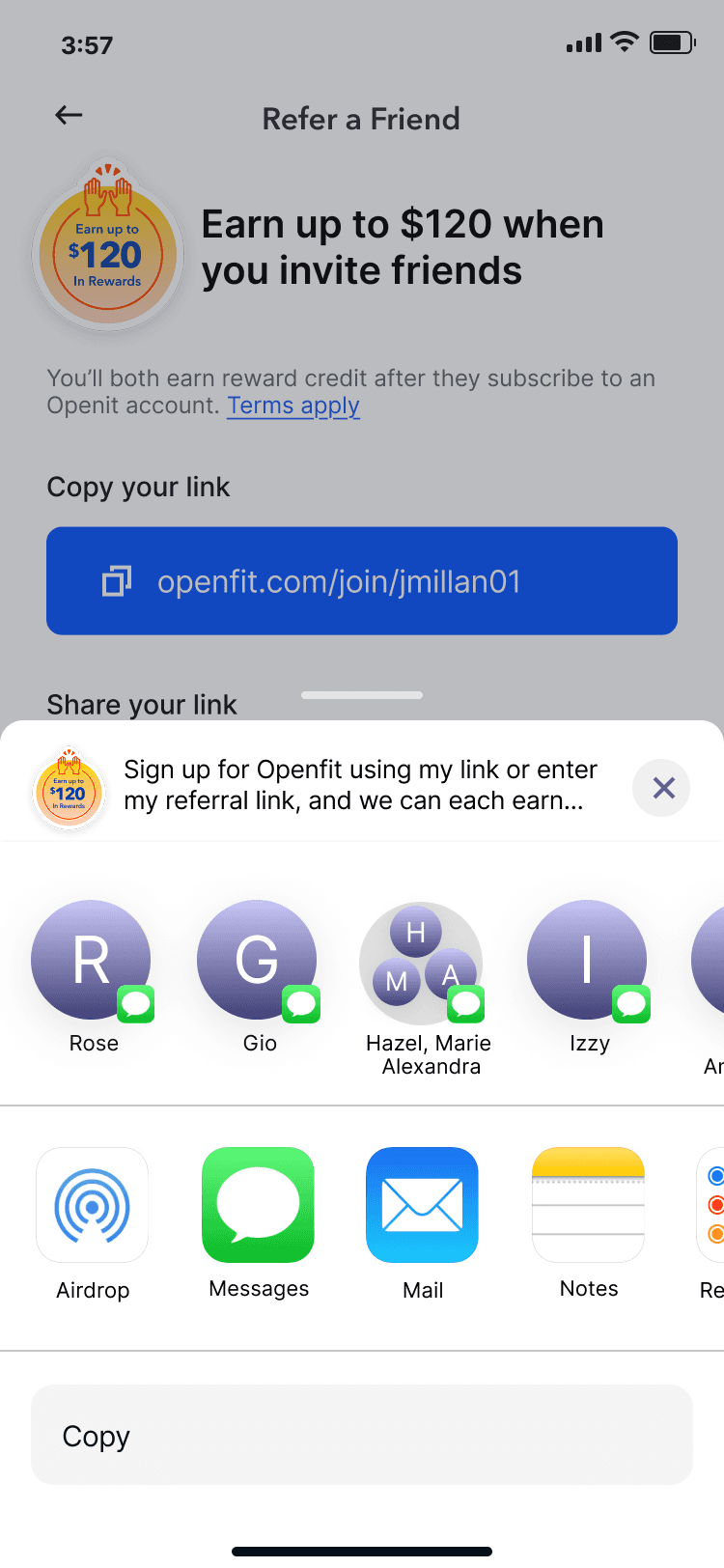
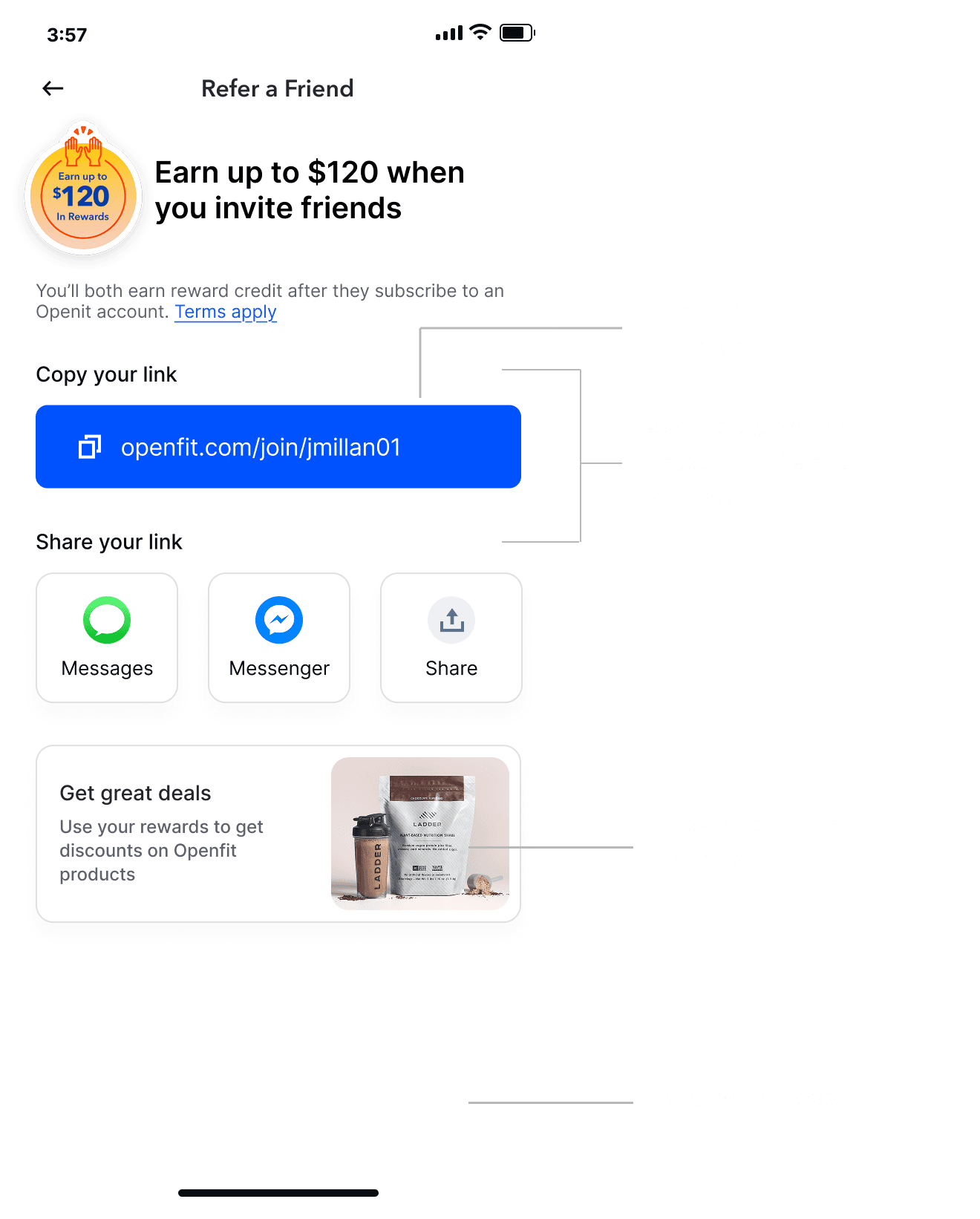
V1. Redesign
What went wrong
After one week, we saw a slight metric dip due to tracking issues and low engagement with the referral link CTA. We identified a few likely causes:
A single “copy link” CTA felt like an unfamiliar interaction pattern
Step-based titles made the flow seem more complex
The banner below created cognitive overload, distracting from the primary action
Missed Privacy Policy and Term links
Hypotheses why test underperformed
V2: Relaunched the test
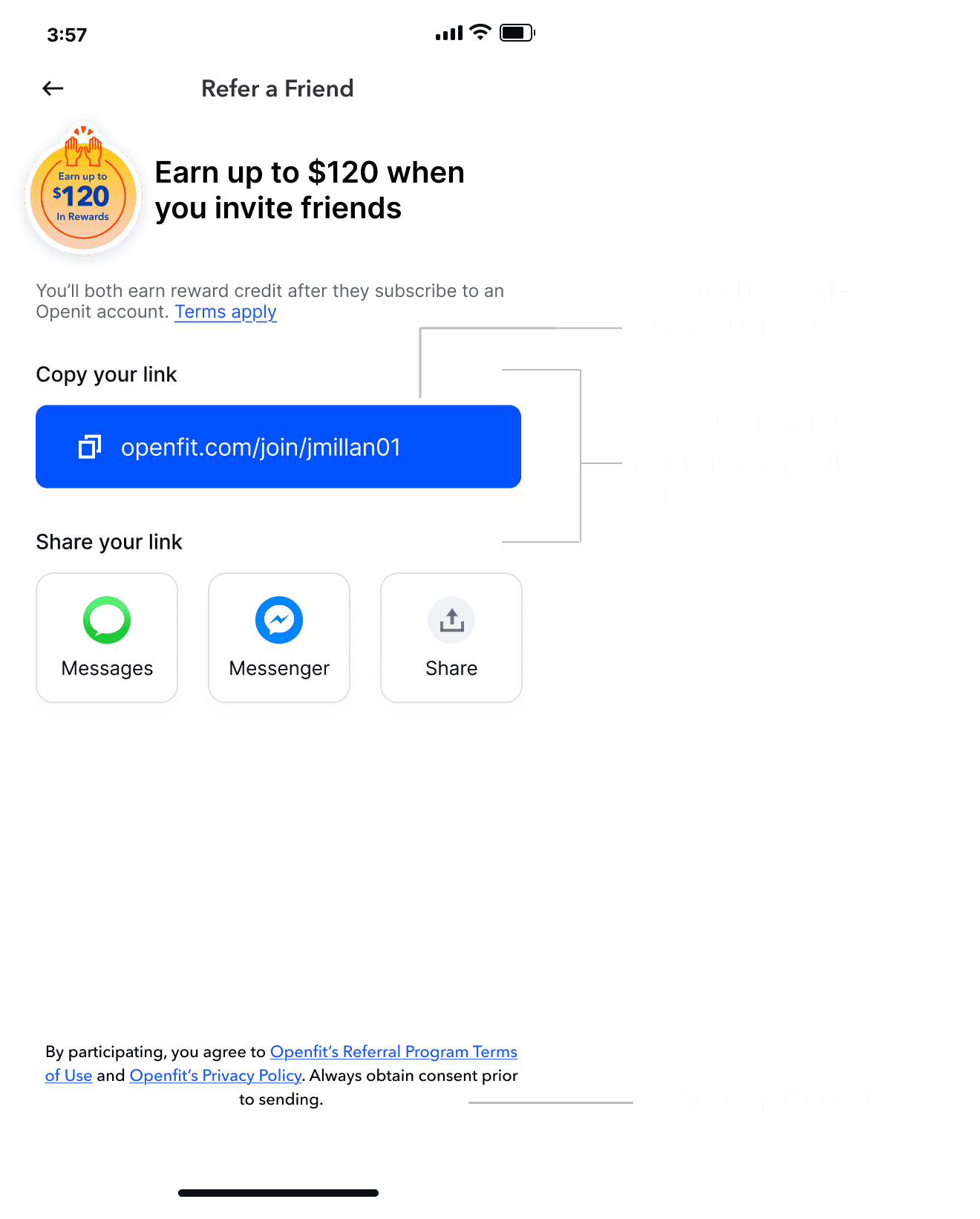
Returned to a familiar copy-link pattern
Updated labels to read like 2 simple steps
Removed distractions and reduced choices
Fixed event tracking + QA’d attribution end-to-end
Had legal review copy and links
Results: Flat (not stat sig) after 2 weeks
V2. Quick fixes
V3: Progress visibility and clarified rewards
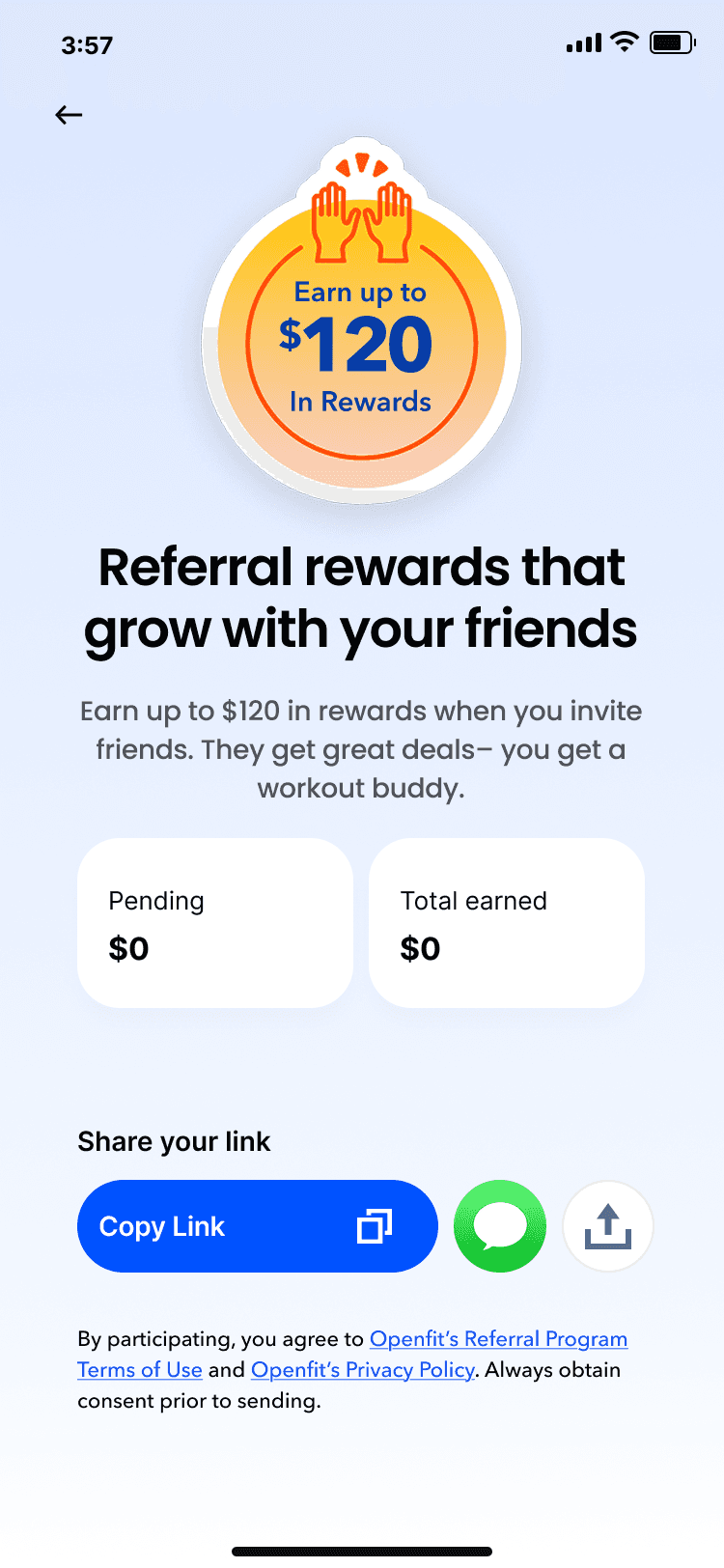
As a fast follow, we needed to test a bolder variant with fewer compromises, increasing our chances of seeing a statistically meaningful lift.
I iterated on the design to further reduce cognitive load and remove unnecessary options. After exploring multiple directions, I landed on a layout with stronger visual hierarchy and a clearer focal point.
I also introduced a clearer system for progress and rewards visibility by separating states into “Rewards Pending” and “Rewards Received,” making status easy to scan at a glance.
Outcome
After relaunching the experiment, we saw a ~4.6% lift in referred signups and a stronger monetization from referred users.
~ 4.6%
Lift in referred signups
2.2%
Referred Paid Conversion
Higher
Activation among referred users
V3. Final
Next Steps
What I’d test next
Personalize the default share channel by user behavior/locale
Let users add a one-line personal note (improve CTR, reduce spam feel)
Smart reminders after [24–48h] if invite unopened
Improve referral landing page trust + previews (increase activation)
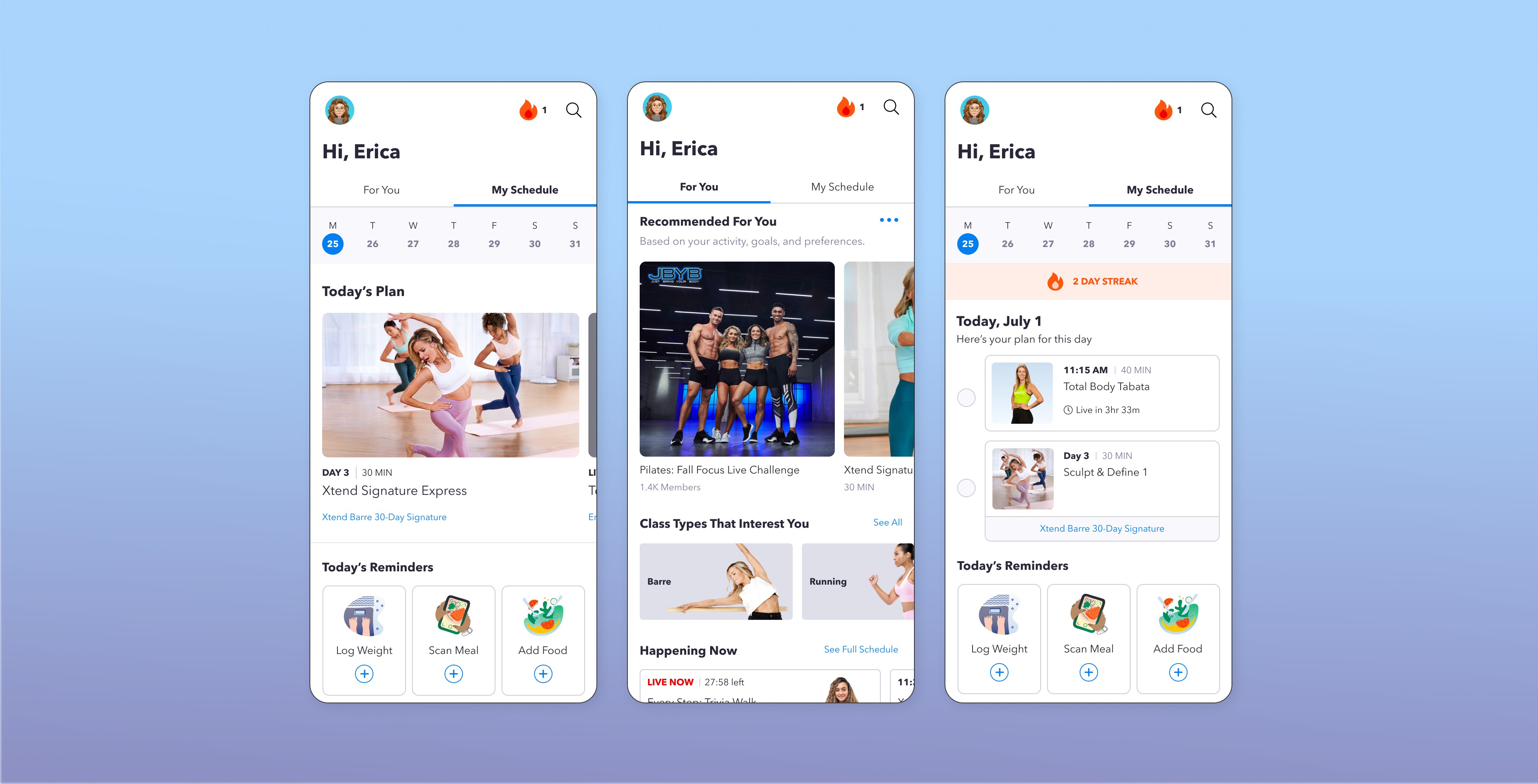
Dashboard Redesign
Boosted Openfit’s daily engagement by 50% and retention by 33% through a personalized home experience.
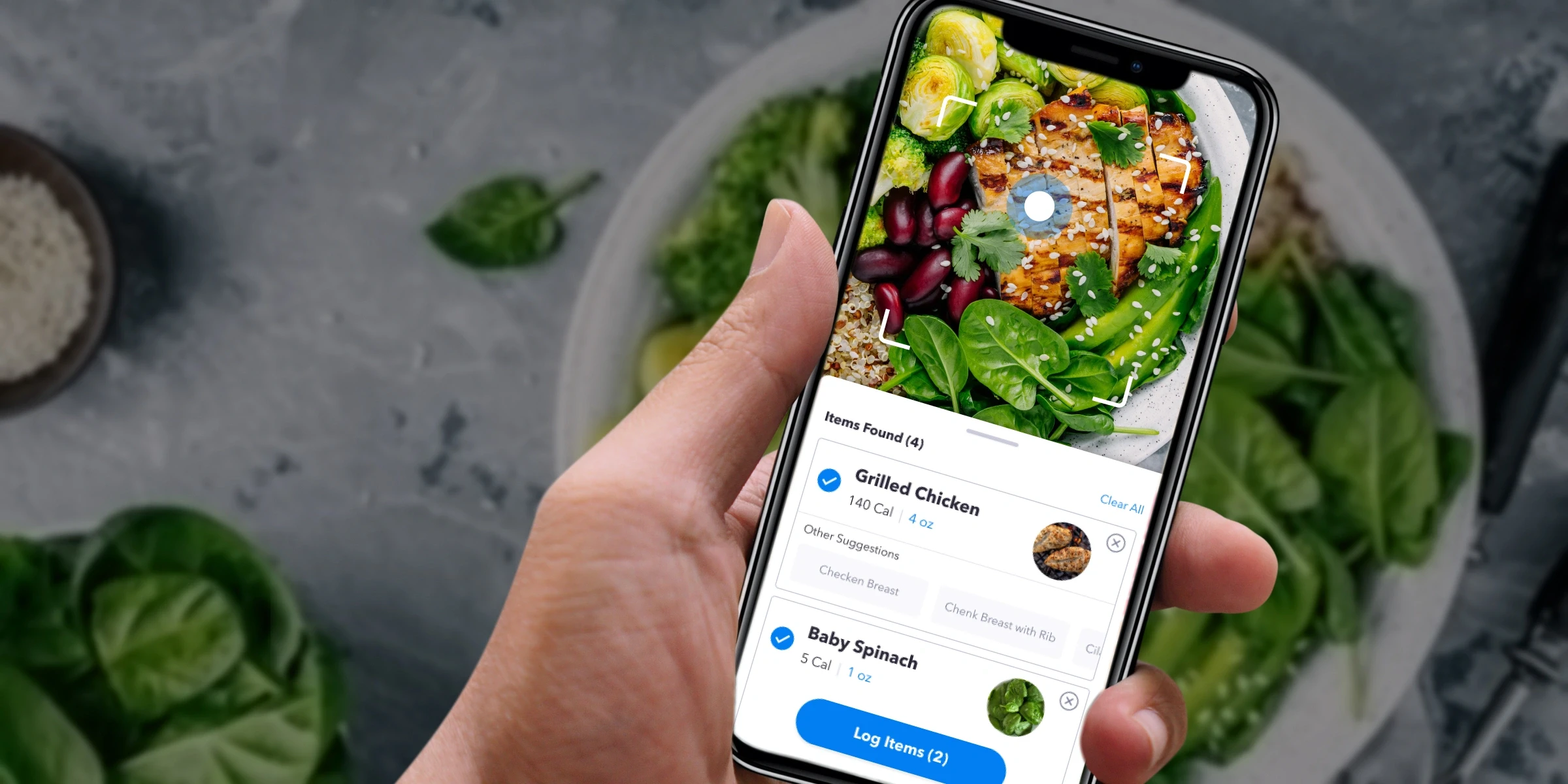
Meal Scanner
Unlocking 33% Engagement Growth and 12% Free-to-Paid Conversion with AI-Powered Meal Scanning
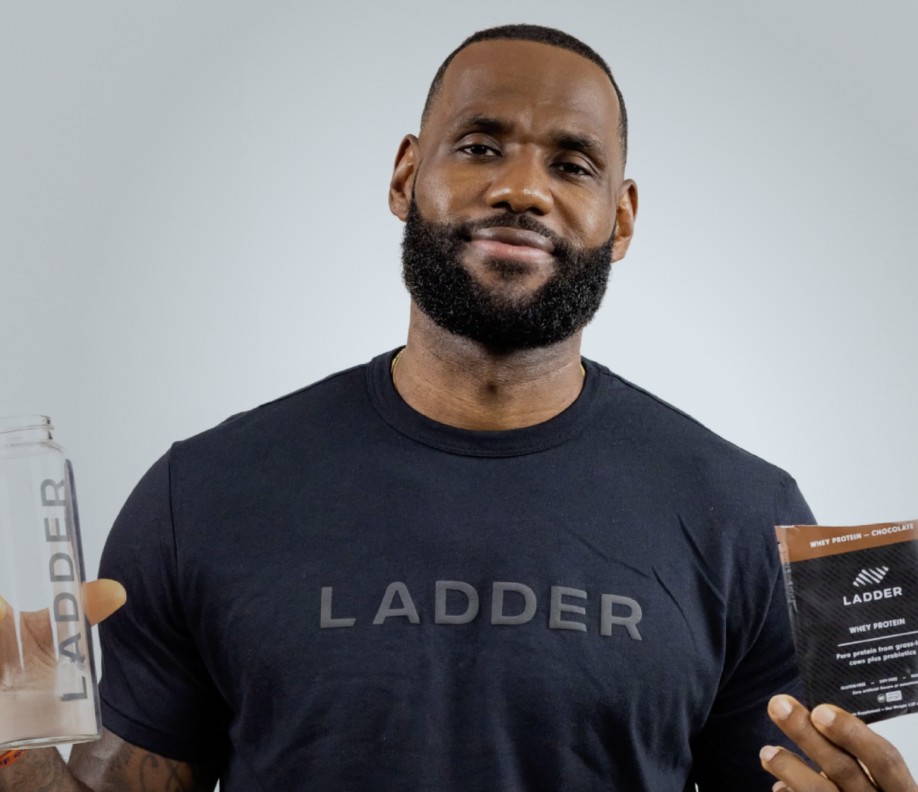
Coming Soon: Ladder.sport
Maximize growth for a sports nutrition brand founded by LeBron James and Arnold Schwarzenegger.